3 Ways To Optimize Compliance Training & Compliance Software
Are you concerned your employees aren’t getting the most utility from their compliance software, as a result making them less likely to use it and putting the firm at…

Protect your business and your employees with the world’s most intuitive, configurable employee compliance software on the market.

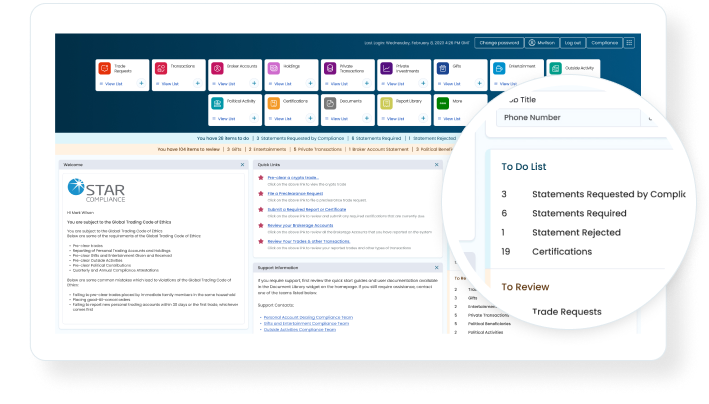
Comply with confidence with solutions built for the regulatory challenges of tomorrow. Find out how a scalable future-ready platform can reduce risk, gain efficiencies, and drive employee adoption that is easy to use for both end users and administrators alike.

Ensure employee trading and investments meet all regulatory and internal policy requirements.

Gain comprehensive pre-clearance and post-trade oversight across 35+ exchanges, 30+ blockchains, 200+ tokens.

Simplify declarations for employees holding non-publicly traded investments.

Track and report gifts and hospitality—given or received—to stay compliant with anti-bribery regulations.

Easily capture and manage employee disclosures for external business engagements.

Enforce pay-to-play thresholds and minimize employee-related risk with purpose-built tracking and controls.

Automatically compare firm trades against watch lists and restricted lists to detect and investigate potential trading risks.
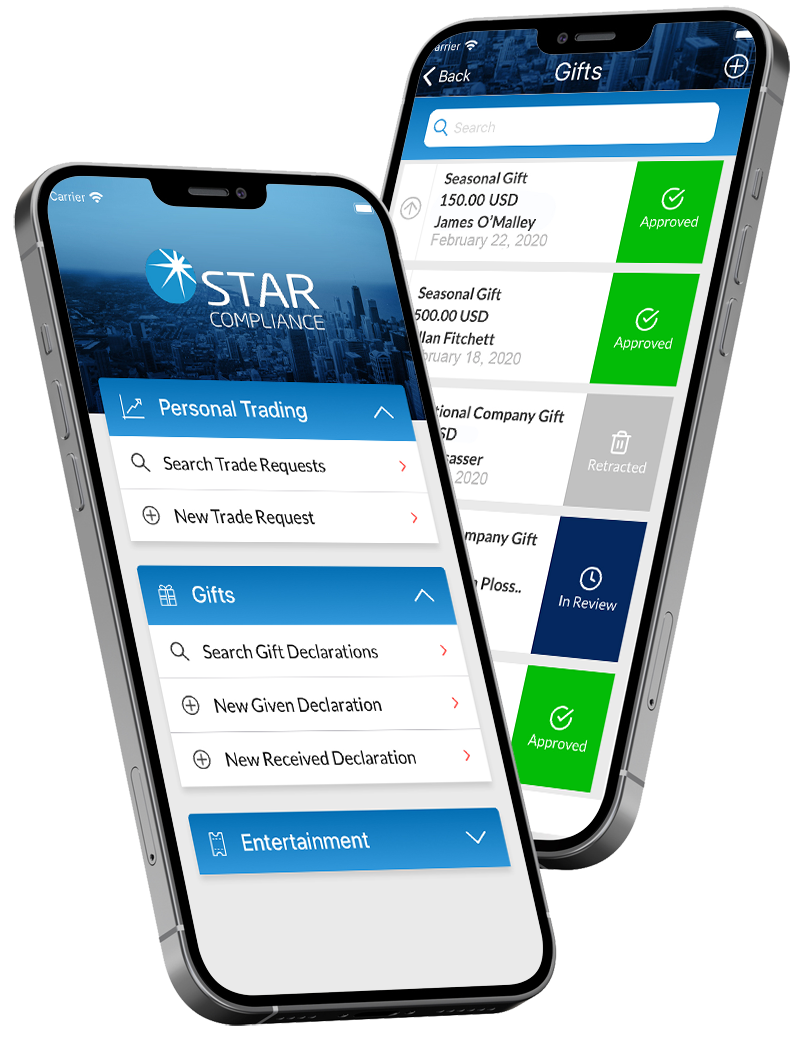
STAR Mobile is the native app that gives compliance end users an optimized, on-the-go STAR Platform experience–wherever they are, wherever there’s a cell connection.









Multiple releases per year driven by client feedback and needs.

Extensive workflows are highly configurable, powered by conditional logic.

Single sign-on—intuitive and seamless.

Quickly and easily get real-time analytics through customizable dashboards and reports.

Safeguard sensitive data with multi-layered access rights based on division, department, role, location, and more.

Gain a 360-degree view of your employee compliance anywhere with scalable, cloud-ready software.

Are you concerned your employees aren’t getting the most utility from their compliance software, as a result making them less likely to use it and putting the firm at…
Regulators use certs completion rates as a rough gauge of the health of a firm’s overall compliance program.